Welcome to the Corvette Forums at the Corvette Action Center!

04 Coupe, Traction Control/Active Handling causes Cruise to disengage NO CODES?

  • Thread starter Thread starter BogSpores
  • Start date Start date
B

BogSpores

Guest
I've searched the forums for this problem and come up empty handed!

2004 Triple Black Coupe
55k miles
Sumitomo HTR Z II (for summer use only) 5 months old
Only mechanical issues to date: Both window motors replaced

During normal driving, with the cruise control set, I get a message on the DIC stating "Active Handling" then my cruise disengages.....

This is NORMAL highway driving, 55mph, smooth (new) pavement, DRY, ambient temp 95 degrees, straight line.....

I can immediately reset the cruise and it will hold for a few minutes or seconds or until I hit the brake!....Or, "Active Handling" will pop up again, and cause it to release again....

I stopped and pulled up the DTC codes (Config, Fuel X 4) and there are none....No codes, nada, zip!

I used a Diablo Sport Programmer to check for codes, and there are none...

I ran it today again, on straight, level, dry, smooth pavement, and set the cruise to 55mph....after about 1 minute, it kicked out again, but didn't blink any warnings? I re-engaged, set to 55mph and it held for about 5 seconds, then repeated the failure, but still didn't display any warnings....I deactivated the TC/AH system (one button push) and the cruise holds fine.....

I then, reactivated the TC/AH system and the cruise held fine for the remainder of the drive (about 65 miles total)....

The only thing I can tie to this problem is it seems to occur after a medium-hard braking application. Maybe the calipers/sensors have to exceed a max temp?....Either way, braking seems to bring on the "Active Handling" message....

Also, my brakes are due for the second replacement (rotors and pads). But, my wear indicators are not touching yet.

Please advise and many "thanks!" in advance.
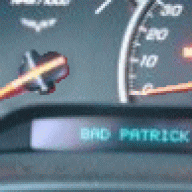
 
Active Handling only kicks in when it senses wheel slippage somewhere. Which leads me to ask: what "mode" are you driving in? Normal "cruise," Sport or Competitive? Each will have a different setting for how much slippage tolerance it will allow before it engages Active Handling.
 
I drive in "Normal" mode.....TC/AH active at all times... Thanks for the speedy reply!
 
I stopped and pulled up the DTC codes (Config, Fuel X 3) and there are none....No codes, nada, zip!
If thats the way you pulled the codes,this may be the problem!!

Correct way below!:thumb
I think you have a speed sensor out of sync or a bad ground!! Try pulling the codes again and let us know what you find!!:thumb

1. Turn your key to the "ON" position, but do not start the engine.
2. Clear any present messages by pressing the RESET button.
3. Hold the OPTIONS button down, and press the FUEL button 4 times. (This will get you into the "codes" section of the DIC.
4. The computer will automatically display all the codes your car has created. It will cycle through each code every 3 seconds.


:upthumbs
 
I thought everyone knew they had to shut the engine off, then go to "run" (engine off) to enter the DIC DTC mode? ;)

Sorry I wasn't specifically clearer....I pulled off, shut the car down, then proceeded to pull the DTC's via the DIC....and, also used the Diablo Sport programmer to check the same....no codes....(ok, there is an HVAC code) ;)

I thought about the grounds, and will have to check the speed sensors at each wheel...

Please keep the suggestions coming! Thanks in advance!
 
As "gmjunkie" says, the method used to extract codes was not correct. The proper key entries are different and it must be done with the key on and engine off.

A "Diablo Sport Programmer" will not read codes set by the ABS/AH or TCS. It only looks at ECM faults.

When active handling enables, it is supposed to disable cruise.

The problem is, obviously, unintended AH activation. The first thing to do is see if any codes are set. Since the service light is not on, they will be history codes.
 
First, put yourselves in my shoes for a minute....and consider how you would feel...

My apologies for the error in my initial post....

I stated "I stopped and pulled up the DTC codes (Config, Fuel X 3) and there are none....No codes, nada, zip!..." I should have typed (Config, Fuel X 4).....

Here is the procedure I've followed since day 1 of owning my car...

"Turn the key to the ON position, but don't start the engine. Clear any present messages by pressing the RESET button. Hold the OPTIONS button down, and press the FUEL button 4 times. This will get you into the CODES section of the DIC. The computer will automatically display all the codes your car has created. It will cycle through each code every 3 seconds. Any code that ends in H is a history code (something that has occured in the past) but is fine now. Once the computer has finished going through all of it's codes, press RESET to enter Manual Configuration mode. It should start with a module and show "NO CODES" or "# CODES".

You guys must be talking about a "Secondary DTC Menu" that I don't know about?


Here is a partial list of what I see....

10-PCM - Powertrain Control Module NO CODES!

28-TCS - Traction Control System NO CODES!

40-BCM -Body Control Module NO CODES!

99-HVAC - Heater, Ventilation, Air Conditioning ONE CODE

A0-LDCM - Left Door Control Module NO CODES!

ETC, ETC, ETC....... ;)


Is there another DIC menu I'm not pulling up?...

Please educate me on the steps required to access the secondary menu...

Hib, you are correct, the Diablo Sport Programmer only addresses ECM/PCM data, but I thought it might help to note there wasn't any DTC's found by the unit...

Thanks again!
 
24 hours have past, and I've discovered I'm not the only vette owner with this EXACT SAME PROBLEM.

I have also received a TON of good info/suggestions/solutions on where this fault might be coming from....

Although unfortunate, at least I now know I'm not alone!

If you stumble on this post, and have experienced (or are experiencing!) the same issue, please leave a reply....

Thanks!
 
i kinda had the same problem and it was the steering position sensor. its located at the base of the steering colum. i had my local chevy dealership do it and it only cost 300 parts and labor
 
Glad you got it fixed!....

Did you have any codes in History that might have been related to your problem?

The lack of codes present make this a guessing game for me and several others with this issue...

Thanks for posting!
 
i kinda had the same problem and it was the steering position sensor. its located at the base of the steering colum. i had my local chevy dealership do it and it only cost 300 parts and labor

Same exact problem, same exact fix (done under GMPP warranty at dealership). No codes, they had to manually test the sensor to find the problem. My tech said that if it wasn't the SPS then the speed sensors on the wheel is the next step - and with those it's usually a grounding issue and not an actual bad sensor.
 
Same exact problem, same exact fix (done under GMPP warranty at dealership). No codes, they had to manually test the sensor to find the problem. My tech said that if it wasn't the SPS then the speed sensors on the wheel is the next step - and with those it's usually a grounding issue and not an actual bad sensor.

Now we're getting somewhere!.....I hoped I wasn't the first to experience this problem, although it disturbs me to learn this is a fairly common issue yet GM doesn't publish a TSB to address the symptoms of SPS sensor failure....My factory warranty ran out last year, but I do have an extended warranty that might cover this...

Sincere thanks to all those who took the time to provide honest, productive suggestions/experience/solutions.....

Hopefully, as time passes, more will post here to paint a picture of just how common this might be!
 
Update: Drove it to work today (35 miles, smooth highway, dry, 65 degrees)

Set the cruise on 70mph and it held perfectly for the entire trip.....

Several times during the trip, I set the cruise at different speeds, and each time it worked flawlessly!

Once arrived, I shut her down, pulled the codes and there were no fault codes listed...

At this point, the only common thing that stands out is the ambient temp of the days the fault occured.....On days over 95 degrees, I can expect it to act up.....Cool days, don't see a problem.....? I haven't a clue why temp would even be a factor in this, and suspect it's just a coincidence.....

Please post if your having or have heard of this problem in the past.....

Thanks!
 
Another update:

Driving home from work today, cruise set on 70mph, same good road conditions except an ambient temp of 96 degrees.....Cruise kicked off after about 15 miles of driving....I pushed "Resume" and the car accelerated up to 70, then in 5 seconds kicked out again, and began to coast....again I pushed resume and it accelerated back to 70mph and held this time....I pulled off, checked for codes, none found as usual.

But, I've noticed now when the cuise kicks out, there is NO DIC MESSAGE as initially observed? Now, the cruise is just disengaging without any error message about "Active Handling"....

So, at the moment my problem just seems to be a cruise control issue....
 
Update: Thought I'd post again with more info on what has worked so far....

This might seem ridiculous, but I started with the smallest item first.....Aired up all 4 tires to 35psi, and after driving around for 3 days, haven't had a single malfunction!

Seems crazy, and I truly don't believe this "fixed" it, but for now I'm happy (confused?)....

I posted this thread in another forum, and have gotten MANY replies/suggestions/tips etc....And, discovered this is a common problem as well....

If you've had similar or exact issues, please post!....you are not alone...;)
 
Update: Thought I'd post again with more info on what has worked so far....

This might seem ridiculous, but I started with the smallest item first.....Aired up all 4 tires to 35psi, and after driving around for 3 days, haven't had a single malfunction!

Seems crazy, and I truly don't believe this "fixed" it, but for now I'm happy (confused?)....

I posted this thread in another forum, and have gotten MANY replies/suggestions/tips etc....And, discovered this is a common problem as well....

If you've had similar or exact issues, please post!....you are not alone...;)

It'll happen again. It happened to me 5 times across 3 months, then I took it to the dealers. Haven't seen it since.
 
Yeah, I believe you 100%......

3 days ago, mine was flashing "ACTIVE HANDLING" in the DIC while driving on flat, straight, dry pavement......with or without the cruise control engaged....

And, I could feel a slight "tug" or "glitch" as if the brakes were suddenly applied ever so slightly.....(which is exactly what I think was happening as commanded by the AH system)
 
c5 traction control on DIC Help!

I have a 2002 C5 vert ,auto. Have enjoyed 20K trouble free miles.It has 55 k miles on it. Now DIC is showing "Service Traction control" and vehicle went into reduced power mode while driving in crazy rush hour traffic[ that was very thrilling!] DIC code says only 28TCS-C1278
I reset the code waited and vehicle now runs normal. What do I do now? Drive it until it repeats this problem [if it does?] Is it bound to happen again? Why is it now running normal? Do I have to service the module when only the one code is shown? I appreciate any input! C4- C5? Anyone have the same problem?:bash
Thanx- Redtorcher
 
We all know not every issue a car has will be coded. Over the years, I've had numerous driveability problems with no code thrown. I guess that's why there are mechanics with years of training and experience...as opposed to those who can't do anything without a code to lean on. If you can't get an answer here, go to a dealer with a real expert like C4C5 Specialist. Someone who specializes in Vettes has probably seen it all.
 

Corvette Forums

Not a member of the Corvette Action Center?  Join now!  It's free!

Help support the Corvette Action Center!

Supporting Vendors

Dealers:

MacMulkin Chevrolet - The Second Largest Corvette Dealer in the Country!

Advertise with the Corvette Action Center!

Double Your Chances!

Our Partners

Back
Top Bottom